Multiple Choice Activity
Introduction
The Multiple Choice activity allows students to select one or more predefined answers from a list of options. It is a versatile tool for assessing student understanding, gathering opinions, or checking knowledge.
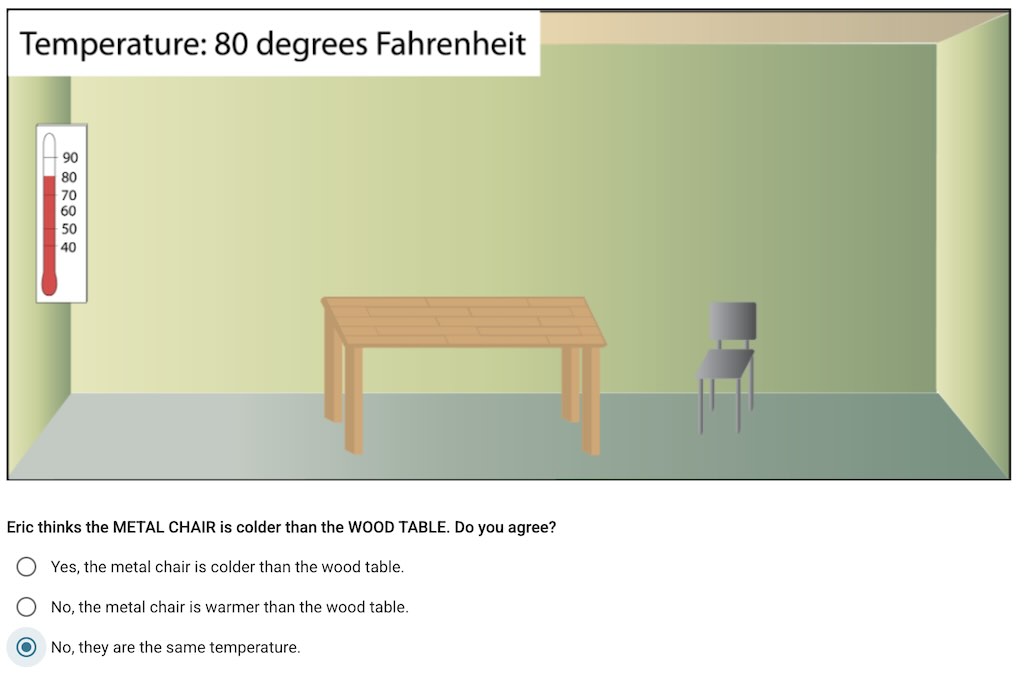 The student view of the Multiple Choice activity. In this example, students are asked to choose if the metal chair is colder than the wood table.
Capabilities
The Multiple Choice activity offers several key capabilities to enhance the learning experience:
- Rich Choices: Text and images can be used as choices, providing flexibility in how options are presented.
- Immediate Feedback: Each choice can have specific feedback that is displayed to the student when that choice is selected.
- Correctness Checking: Activities can be configured to have “correctness”—students can immediately see if they chose the correct choice(s) after submitting their answer.
- Answer Modes:
- Single Answer Mode: Lets students choose only one answer at a time using a radio button.
- Multiple Answer Mode: Lets students choose multiple answers simultaneously using checkboxes.
Teacher View
- Distribution Graph: In the summary view, the teacher can see a graph showing the distribution of the students’ choices. This makes it easy to gauge class-wide understanding and identify common trends at a glance.
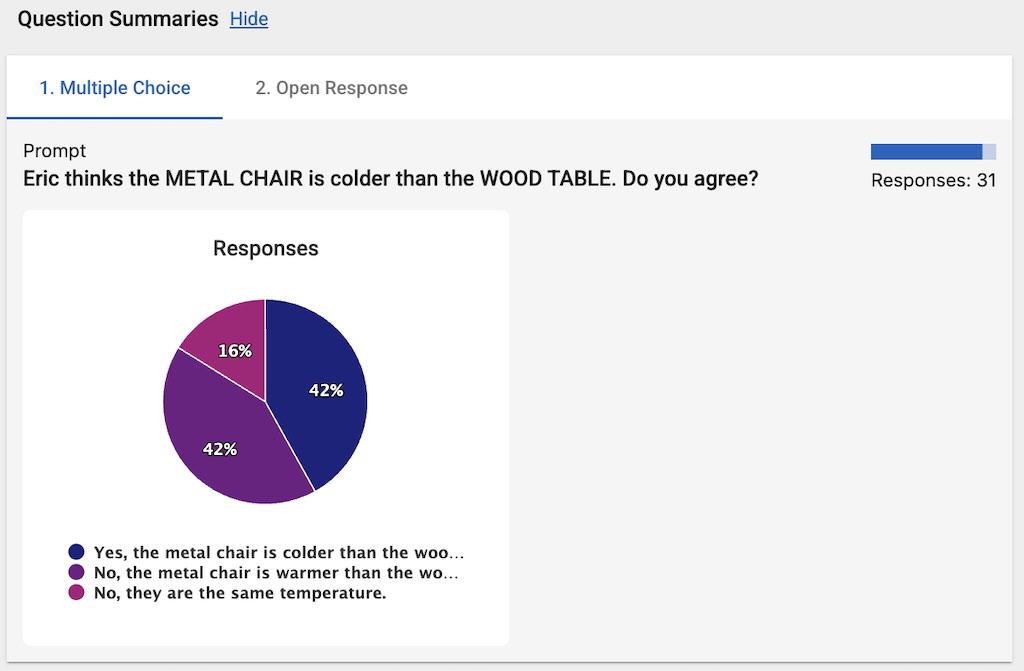 The teacher view of the Multiple Choice activity. In the summary view in the Teacher Tools, the teacher can see the distribution of the students’ choices.